Screenshot API
Send a public URL or your own HTML and get a PNG or JPEG back. Set the viewport, capture the entire page, clip a region, or render at a higher pixel density. It runs on headless Chromium.
What it does
- URL or HTML in, PNG or JPEG out, with one request to
POST /v1/render. - Viewport, full-page capture, clipping, transparent background and pixel density are options.
- The same engine behind the free website screenshot, HTML to image and OG image tools.
- Each job runs in an isolated container with a hard timeout; requests to private networks are blocked.
- Jobs are asynchronous: submit, poll, then fetch the image from a short-lived signed link.
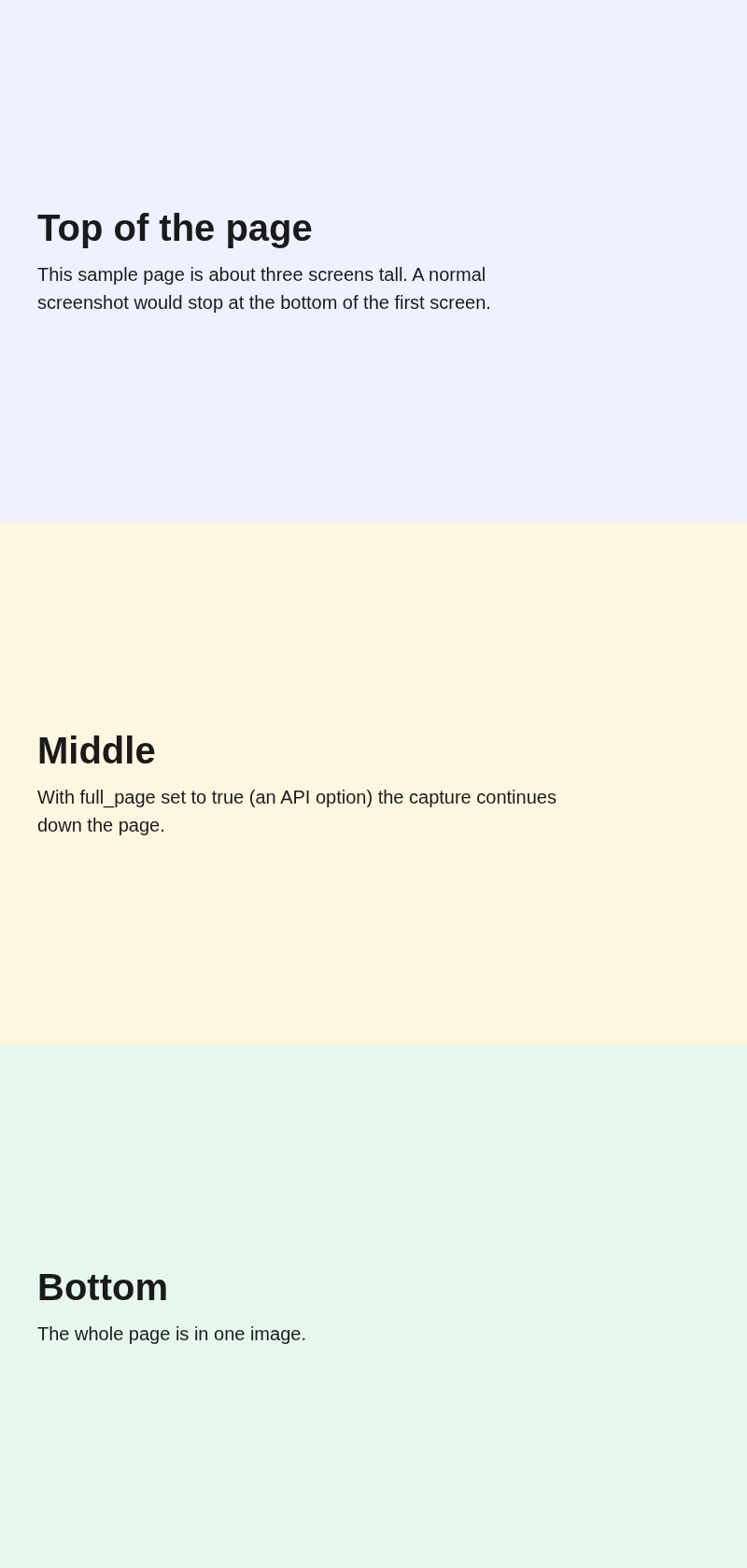
Example: full page capture of an HTML page
Set AIIPWORLD_API_KEY to a key from your dashboard. The request below produced the example output further down.
curl -X POST https://api.aiipworld.com/v1/render \
  -H "Authorization: Bearer $AIIPWORLD_API_KEY" \
  -H "Content-Type: application/json" \
  -d '{"html":"<!doctype html><html><head><meta charset=\"utf-8\"><style>\nbody{margin:0;font-family:Helvetica,Arial,sans-serif;color:#1a1a1a}\nsection{height:560px;padding:40px;box-sizing:border-box;display:flex;flex-direction:column;justify-content:center}\nh1{margin:0 0 12px;font-size:40px}p{font-size:20px;margin:0;max-width:560px;line-height:1.5}\n.a{background:#eef1ff}.b{background:#fff6e0}.c{background:#e6f7ee}\n</style></head><body>\n<section class=\"a\"><h1>Top of the page</h1><p>This sample page is about three screens tall. A normal screenshot would stop at the bottom of the first screen.</p></section>\n<section class=\"b\"><h1>Middle</h1><p>With full_page set to true (an API option) the capture continues down the page.</p></section>\n<section class=\"c\"><h1>Bottom</h1><p>The whole page is in one image.</p></section>\n</body></html>","output":"png","options":{"viewport":{"width":800,"height":600},"full_page":true}}'

# returns {"job_id": "...", "status": "queued"}; then poll:
curl https://api.aiipworld.com/v1/jobs/JOB_ID -H "Authorization: Bearer $AIIPWORLD_API_KEY"
Example: a 1200 x 630 image for link previews
curl -X POST https://api.aiipworld.com/v1/render \
  -H "Authorization: Bearer $AIIPWORLD_API_KEY" \
  -H "Content-Type: application/json" \
  -d '{"html":"<!doctype html>\n<html><head><meta charset=\"utf-8\">\n<style>\n  * { box-sizing: border-box; }\n  html, body { margin: 0; width: 1200px; height: 630px; }\n  body { font-family: Helvetica, Arial, \"Noto Sans\", \"Noto Sans CJK SC\", sans-serif; color: #ffffff;\n    background: linear-gradient(135deg, #1e2a78, #2f4bff); display: flex; flex-direction: column; justify-content: center;\n    padding: 80px 90px; position: relative; text-align: left; align-items: flex-start; overflow: hidden; }\n  .bar { width: 96px; height: 10px; background: #ffd166; border-radius: 5px; margin-bottom: 36px; }\n  h1 { margin: 0; font-size: 84px; line-height: 1.12; font-weight: 800; overflow-wrap: anywhere; display: -webkit-box; -webkit-line-clamp: 4; -webkit-box-orient: vertical; overflow: hidden; }\n  p { margin: 28px 0 0; font-size: 34px; line-height: 1.3; opacity: .88; overflow-wrap: anywhere; display: -webkit-box; -webkit-line-clamp: 3; -webkit-box-orient: vertical; overflow: hidden; }\n  .site { position: absolute; left: 90px; right: 90px; bottom: 52px; font-size: 28px; font-weight: 600; color: #ffd166; text-align: left; }\n</style></head><body>\n<div class=\"bar\"></div>\n<h1>How to ship a faster website</h1>\n<p>Five changes that cut load time without a rewrite</p>\n<div class=\"site\">example.com</div>\n</body></html>","output":"png","options":{"viewport":{"width":1200,"height":630}}}'

# returns {"job_id": "...", "status": "queued"}; then poll:
curl https://api.aiipworld.com/v1/jobs/JOB_ID -H "Authorization: Bearer $AIIPWORLD_API_KEY"
Example output
Options
Options go in the options object and are passed to the engine, which rejects unknown names.
| Option | What it does |
|---|---|
viewport | Window width and height, 100 to 4000 px each (1280 x 800 by default). |
full_page | Capture the whole page. Limited to 16384 px of output height; a taller page is cut and the result says truncated. Costs more for tall pages, see Pricing below. |
clip | Capture a rectangle: x, y, width, height. |
device_scale_factor | Pixel density from 1 to 3. |
quality | JPEG quality (80 by default). |
omit_background | Transparent background for PNG, where the page does not paint its own. |
color_scheme, media | Preferred colour scheme; the media type (screen by default). |
wait_until, wait_for_selector, delay_ms | When to consider the page ready; an extra delay up to 10 seconds. |
javascript, headers, user_agent | Turn scripts off; up to 20 request headers; user agent. |
Pricing
One credit pool covers every tool and the API. A screenshot costs 1 credit. A full page screenshot costs 2 credits for an image up to 5,000 px tall, plus 1 credit for each further 5,000 px (or part of), up to 16,384 px (5 credits at most). Height is counted in output pixels, so device_scale_factor 2 doubles it. The job is reserved at 2 credits and settled on the real image height. Results beyond 5 MB cost more. Failed jobs are refunded. Apart from the full page rule, credit costs are provisional until launch.
Free
$0
100 credits per month
Starter
$19 / month
2,750 credits per month
Pro
$59 / month
10,000 credits per month
Business
$149 / month
30,000 credits per month
Credit pack: $10 for 1,400 credits that do not expire. Rate limits and result retention depend on the plan: see pricing.
Questions
How do I take a full page screenshot?
Set full_page to true in options. Captures are limited to 16,384 px of output height; a taller page is cut there and the job result says truncated. A full page screenshot costs 2 credits for an image up to 5,000 px tall, plus 1 credit for each further 5,000 px (or part of), up to 16,384 px (5 credits at most). Height is counted in output pixels, so device_scale_factor 2 doubles it. The job is reserved at 2 credits and settled on the real image height.
Which formats can I get?
PNG and JPEG. WebP is not supported yet and the API returns an error if you ask for it. JPEG quality is an option (80 by default).
Can I use it to generate Open Graph images?
Yes. Send your own HTML at a 1200 x 630 viewport with output png. The OG image generator on this site does exactly that. Templates with JSON data are not available yet.
How much does a screenshot cost?
1 credit for a normal screenshot. A full page screenshot costs 2 credits for an image up to 5,000 px tall, plus 1 credit for each further 5,000 px (or part of), up to 16,384 px (5 credits at most). Height is counted in output pixels, so device_scale_factor 2 doubles it. The job is reserved at 2 credits and settled on the real image height. Results over 5 MB cost one more credit for each further 5 MB. Failed jobs are refunded. The 5 MB surcharge is provisional until launch.
Can I capture pages behind a login?
You can send custom request headers (up to 20) and a custom user agent. There is no cookie option. Only capture pages you are allowed to copy.
What stops it from reaching private servers?
Every request, including redirects and sub-resources, is checked and private, local and cloud metadata addresses are blocked.
Is there a free tier?
Yes. A free account includes 100 credits a month. The free web tools work without an account within per-visitor limits.